drAAft is a competitive all advancements gamemode where 2 to 4 players face off to get every advancement in Minecraft 1.16.1, after drafting a set of bonuses. To play drAAft, you must have a valid Minecraft account, as well as the drAAft mod and its dependencies.
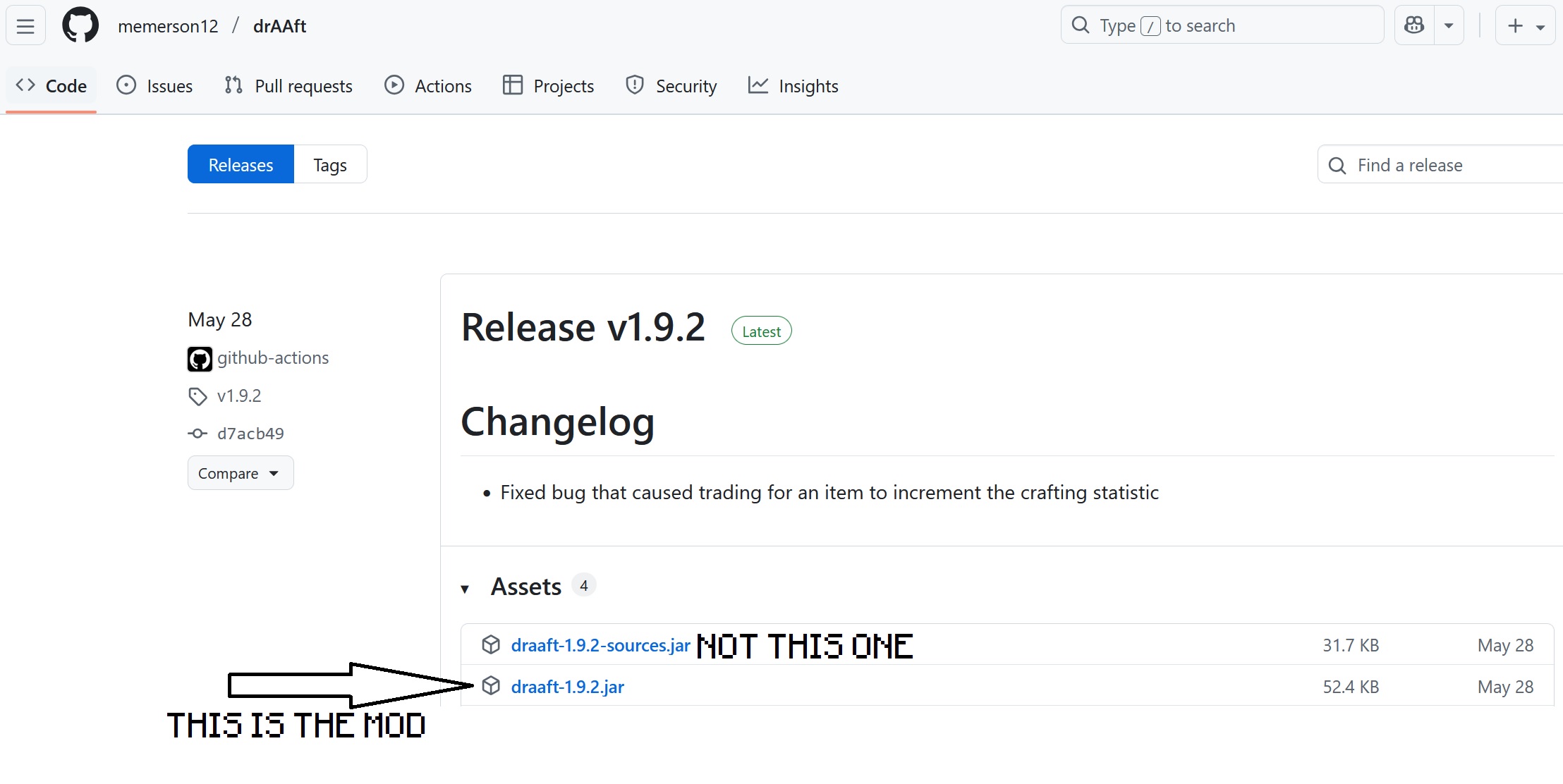
To download the drAAft mod, get the latest jar file from the Releases page:
Todo: There may be other dependencies. For now, the best approach is to just use ModCheck to ensure you have all the relevant Minecraft speedrunning mods, EXCEPT SEEDQUEUE. If you're unfamiliar with Minecraft speedrunning and want to play drAAft, you should probably also uncheck the mod "StandardSettings". All other mods should be fine. NOT SEEDQUEUE THOUGH :)
Once you have installed all required mods and launched the game, you can log in to drAAft by clicking on the enchanted golden bucket in the main menu:
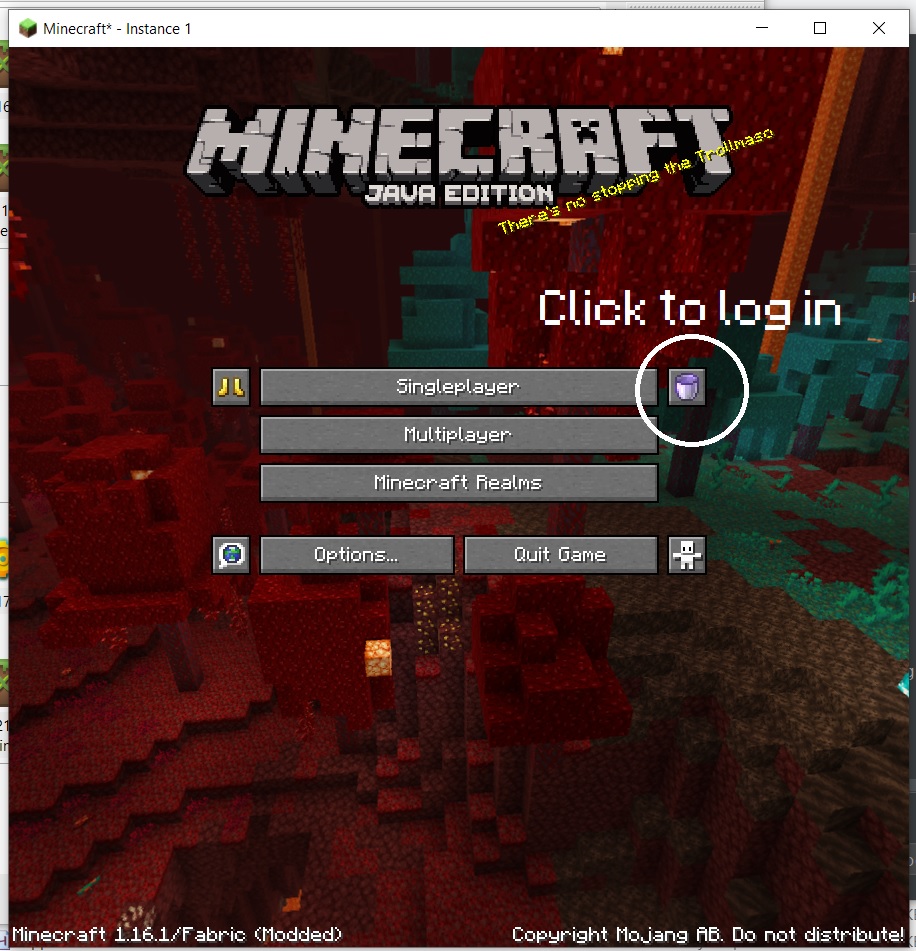
This will open the website automatically and log you in.
Once you are logged in, you can either create or join a room. To join a room, paste the room code given out by the host in the "join a room" field.
Only the host of the room can change settings and start drafting.
If you have issues, this is probably because the mod isn't out yet and this is preemptive documentation :) but if that's not the case, feel free to ask in the Discord server.